
Mechanical Keyboards for Writers
Avoiding a terrible hobby

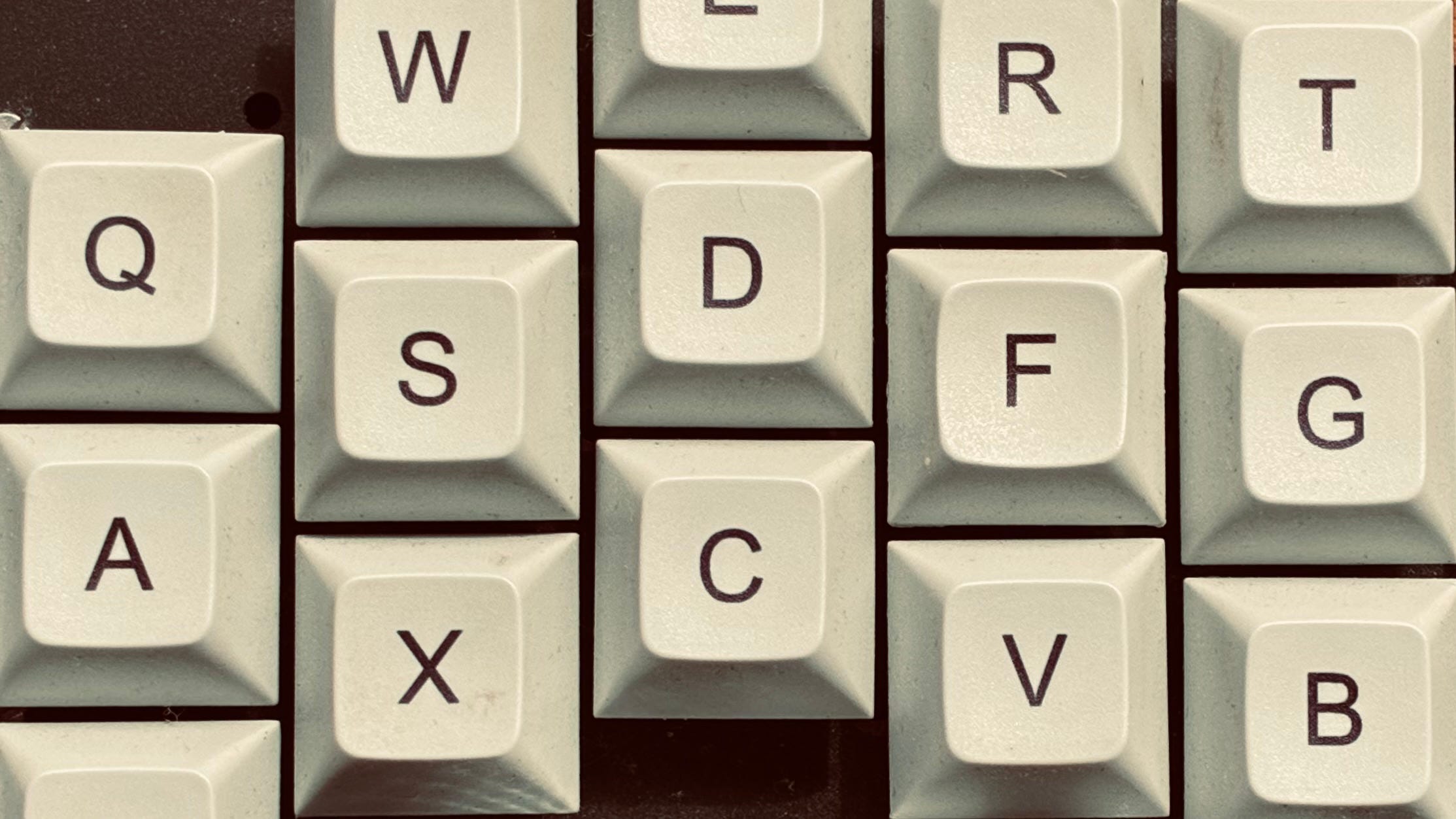
Imagine being a sculptor. You work clay all day to create beautiful statues. You use the usual tools, and spend most of your time thinking about form and beauty. You socialise with other sculptors and argue with them about the old masters late into the night over steaming jugs of mulled wine.
But there are other people in your city who work with clay. Instead of statues they make golems, which are animated by magic to do all kinds of work. The golem carvers spend their days inscribing runic patterns that are quite abstract and technical; they have a reputation for being literal-minded, just like their golems. Some of them use their free time to obsessively build better clay-sculpting tools. But you don’t talk to many golem people. You keep using your equipment.
What I’m trying to say is that programmers are onto something with these weird keyboards. If you spend hours a day writing, it’s worth buying a good keyboard. But what is a good writing keyboard? It’s easy to spend three hours on Reddit trying to answer this question without getting anywhere. Hopefully this is where I can be of use: my goal is to marginally improve your life instead of inducting you into the hobby of owning mechanical keyboards.
If you (commendably) don’t care about keyboards and just want something decent, buy a Keychron K3 with brown switches. But I do think you should consider some stranger options. For instance:
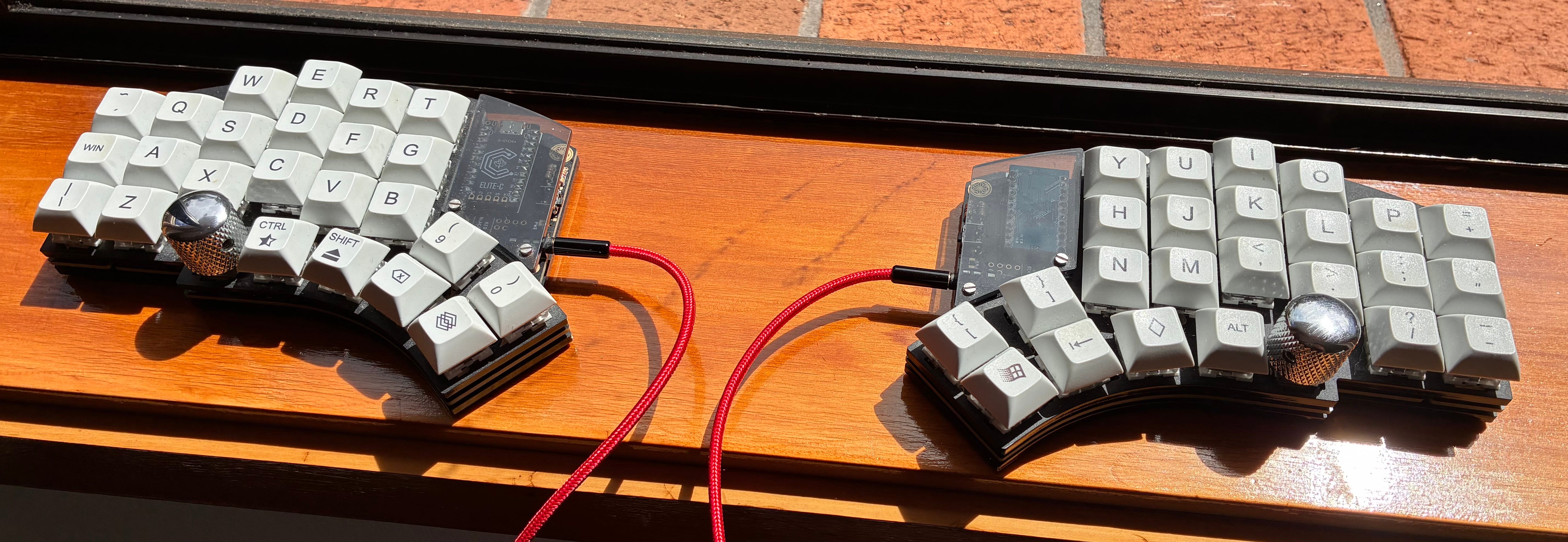
This is my keyboard. Why does it look like that? It’s “ergonomic”. But while ergonomics is important, especially for the type of person reading this, what actually makes a difference is exercise, a monitor at head height, and a good chair. Ergonomic keyboards don’t seem to do much, unless you already have a typing injury. This matches the anecdotes - their biggest cheerleaders are programmers who were injured before buying. I wasn’t and you probably aren’t.
I bought it because it’s simply better than a normal keyboard.
To begin with, I find the mechanical switches are much more satisfying to type on than a laptop. It’s split into two halves, so you can sit naturally with your arms straight rather than cramping them inward. The columns are staggered to match the natural curve of your fingertips; the typewriter mechanisms which mandated staggered rows on the original QWERTY layout are long gone.
Look at all those lower keys. Your thumbs finally have something to do rather than collaborate on the spacebar, while your pinkies are freed from the responsibility of things like Shift and Enter. But wait, where are the numbers? The symbols? Right at your fingertips, using a layer key like a second Shift controlled by your thumb. Layer plus M equals ‘1’, for instance. It has all the functionality of a full-sized keyboard with less than half the keys. Finally, you have two rotary knobs you can use to smoothly scroll through long documents.
For sustained writing and reading, it’s noticeably more pleasant. It’s also extremely portable.
Now, you don’t need to go this far. The spectrum of mechanical keyboards is so wide that there’s something to suit any taste. There are a few details that matter when it comes to finding a keyboard you’ll like; let’s begin with the switches.
Trivial mechanisms
Many people prefer mechanical keyboards because they feel better to type on than membrane keyboards, which are practically ubiquitous. The membrane is a rubber sheet laid over a circuit board; the sheet has a dome under each key which collapses when you press it, closing an electrical contact. This is why most keyboards feel mushy.
Mechanical keyboards instead use a metal spring in each key switch to provide resistance. During the twentieth century most keyboards were mechanical because they were typewriters or were trying to mimic them - if you have intrusive thoughts about buying a typewriter, a mechanical keyboard could be a good compromise.
There are three main types of mechanical switch: clicky, tactile, and linear. These are often called blue, brown, and red respectively.
Mechanical keyboard articles contain reams of prose and graphs describing exactly how it feels to press each of these. Instead I recommend just trying some: any electronics retailer will have some mechanical keyboards on display. You can also buy a selection of switches to try out.
For writing, I recommend tactile switches. Clicky switches are quite loud and not something you’d want to use in a public place or a library. Tactiles are quiet but still provide the satisfying feedback that most people prefer. Linears are often aimed at gamers but worth looking at, especially if silence is a priority (presumably you are too busy composing monographs to play video games).
Switches also come in standard and low profile forms. This is another matter of preference, but low profile boards are more portable and easier to use on small tables if you like getting out of the house to write. Try one out if you can.
You can also buy sets of custom keycaps in various styles, as well as delightful little sculptures encased in a resin keycap. Just make sure they’ll fit onto your switches.
The few and the many
Once you’ve chosen a type of switch, you need to think about quantity. Standard keyboard layouts are defined relative to a full keyboard with a numpad. You’ll always have a full set of letters, but other keys are compressed or removed on keyboards with smaller layouts, moved into the custom layers I mentioned earlier.
The layers are configured by reprogramming your keyboard (using a desktop program, you don’t need to write code). All keyboards have a microcontroller inside them that reads switch signals and sends corresponding messages to your computer; a good mechanical keyboard will have a programmable controller, usually running QMK. Layering is one of its many features. You can rearrange keys at will, assign macros, or give keys different behaviours when tapped or held.
I recommend two layout options. 80% or ‘tenkeyless’ omits the numpad, which you’re less likely to need if you’re just writing. And if you want to commit to the layer lifestyle then 60% is small but widely available.
Then there’s the arrangement of the letters. QWERTY is not ideal; It’s probably not true that it was designed to slow down typists and prevent typewriter jams, but its design was still arbitrary. Like many things in the 19th century, it became standard through unrelated business success rather than technical merit. Why is most typing done with the left hand? Why is E not in the home row? Why are common words like ‘were’ typed one-handed?
The answer to all of this is Dvorak. Your operating system supports it even if you don’t have a programmable keyboard. Of course, the problem is that you have to learn touch typing again from scratch. I have tried and failed to acclimatise to Dvorak in the past: it’s not for most people, but it is worth mentioning because it’s designed for writing. I wouldn’t recommend it to a programmer, but the benefits are large for sustained writing. I think it’s worth trying.
Finally, knobs are worth a look for reading long documents. Make sure to get one without detents for continuous scrolling, and remember that the knob can protrude, making the keyboard more annoying as backpack cargo.
What do I buy?
Almost everyone should get a Keychron. Cheaper offerings than theirs are low quality and not much of an improvement over a membrane keyboard, while more premium alternatives can easily run to hundreds of dollars for marginal benefits.
I recommend, with brown switches, the K2 or K1 low-profile as 80% options and the K9 Max 60% for grass (or archive) touchers. All of these are programmable, wireless, and widely compatible. For split keyboards there’s splitkb. Their documentation and service is top-notch, and they sell a range of good quality, fairly affordable kits that don’t need soldering and include low-profile options. I own and heavily use a Keychron K1 and a splitkb Kyria; I’m very happy with both.
That’s what the golem people have been doing. May it make your life a little better!